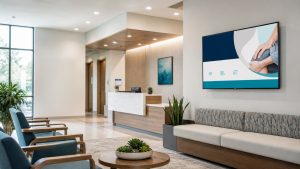
A waiting room TV can do much more than fill silence. For a medical practice, it can become a controlled communication channel—one that explains what patients should expect, reinforces the practice’s brand, introduces relevant services, and replaces unpredictable cable programming with content designed for the people in the room.
The hard part is not buying a television. It is choosing a system, content plan, and operating workflow that staff can manage consistently. This guide explains what U.S. medical practices should evaluate before selecting a waiting room TV solution.
What is a waiting room TV system for a medical practice?
A medical waiting room TV system combines a display, a media player or compatible smart-TV application, a content platform, and an ongoing programming plan. Unlike conventional cable television, a purpose-built system gives the practice control over what appears on the screen and when it appears.
A well-planned channel may combine:
- Patient education presented in clear, nontechnical language
- Introductions to physicians, clinicians, and staff
- Office policies, check-in guidance, and seasonal announcements
- Explanations of services patients may not know the practice offers
- Preventive-care reminders and general wellness information
- Practice branding, community involvement, and trust signals
- Calm, appropriate entertainment between informational segments
The objective is not to turn the waiting room into a nonstop commercial. The strongest programs help patients first and promote the practice in context.
Why replace cable or generic television?
Cable TV is familiar, but it gives a medical practice little control over breaking news, commercials, tone, or relevance. A program that is appropriate at one moment can become distracting or uncomfortable at another. Competing healthcare advertisements may also appear on a screen inside your own office.
A managed waiting room channel offers a different model. The practice determines the content mix, visual identity, schedule, and calls to action. That control can make the screen more useful to patients and more consistent with the experience the practice intends to provide.
Seven capabilities to evaluate before you buy
1. Healthcare-appropriate content
Ask where the educational material comes from, how often it is reviewed, and whether it matches your specialty. A large library has limited value if the content is generic, dated, or difficult for patients to understand.
Health information deserves a higher editorial standard than ordinary promotional copy. The CDC recommends plain language so people can understand and use health information. In practice, that means leading with the most important message, using familiar words, keeping sentences focused, and pairing text with purposeful visuals.
2. Brand customization
Your waiting room screen should look like an extension of the practice—not a generic TV feed with a logo placed in one corner. Review whether the system can use your colors, typography, photography, provider profiles, and preferred tone across the full program.
3. Content scheduling
Scheduling makes the channel timely without requiring daily attention. A useful platform should support planned campaigns, seasonal reminders, service-specific messages, and expiration dates. Multi-location practices may also need a shared corporate program with local content for each office.
4. Easy updates and clear ownership
Determine who will update the screen after launch. If every change requires a complicated process, the channel will eventually become stale. Decide whether your team will manage the content, the vendor will manage it, or responsibilities will be shared.
The workflow should answer four questions: Who can request a change? Who reviews it? Who publishes it? When should it come off the screen?
5. Reliable playback
Ask what happens when internet service is interrupted, how the player recovers after a power outage, and whether staff can confirm that a screen is online without walking to the waiting room. Reliability is especially important for groups operating several locations.
6. Privacy-conscious design
A general education and branding channel should not display protected health information. If a practice wants to add patient names, queue status, appointment details, or information connected to a specific person, the workflow needs separate privacy and compliance review.
HIPAA requirements depend on the information, context, and safeguards involved. The U.S. Department of Health and Human Services provides guidance on incidental uses and disclosures, but practices should consult their compliance or legal professionals about a specific display configuration.
7. Reporting and measurement
No screen can prove its business value through impressions alone. Before launch, decide what behavior you want to influence and how you will observe it. Depending on the campaign, that might include QR-code scans, visits to a dedicated page, questions about a featured service, consultation requests, or short patient surveys.
Use unique tracking methods where appropriate, but interpret results carefully. A waiting room screen is usually one touchpoint in a longer patient journey—not the only reason someone takes action.
What should a medical practice show?
A practical starting mix balances education, practice information, service awareness, and light entertainment. The exact proportions should reflect your specialty, typical wait, patient population, and business goals.
- Patient education: concise explanations of common conditions, procedures, preparation, recovery, and preventive care.
- Practice orientation: provider introductions, office policies, check-in instructions, and what to expect during the visit.
- Service discovery: relevant services explained through patient needs and questions—not exaggerated promises.
- Trust and brand: credentials, community involvement, behind-the-scenes stories, and the practice’s approach to care.
- Calls to action: simple next steps such as asking the care team, scanning a QR code, or visiting a focused resource page.
- Calm filler content: tasteful visuals, trivia, or family-appropriate segments that give the loop breathing room.
How long should the content loop be?
There is no universal ideal length. Start with the average time patients are actually in view of the screen. A short-stay clinic and a specialty practice with longer appointments need different programming.
As a practical rule, each individual message should be understandable quickly, even if a patient enters halfway through the segment. Avoid slides that require people to read dense paragraphs from across the room. Captions, strong contrast, large type, and uncluttered layouts improve accessibility and comprehension.
Hardware and installation checklist
Before choosing a platform, document the physical environment:
- Screen size and viewing distance
- Mounting location and glare throughout the day
- Available power and network connection
- Whether audio is appropriate and how volume will be controlled
- Media-player compatibility
- Remote-management requirements
- Who handles installation and troubleshooting
- Whether the same configuration can scale to additional rooms or locations
Do not assume that every smart TV supports every signage platform. Confirm the exact device, operating system, connectivity, and warranty requirements before purchasing hardware.
Questions to ask vendors
- Is the content created specifically for healthcare or adapted from generic signage?
- Can the channel match our brand and specialty?
- Who reviews educational and promotional content?
- How quickly can a message be changed or removed?
- What happens when the internet or power goes down?
- Can we manage several offices without rebuilding every screen?
- What hardware is required, and who supports it?
- Are there setup, design, content, or support fees beyond the subscription?
- Can we see a realistic sample channel before committing?
- How will the program avoid repetitive or overly promotional content?
Common mistakes to avoid
Using the screen as a digital brochure
A continuous stream of offers can feel self-serving. Lead with useful information and introduce services naturally when they address a patient question or need.
Publishing medical content without review
Educational content should be current, appropriately sourced, and reviewed by a qualified subject-matter expert when it makes clinical statements. Do not imply that general screen content replaces individualized medical advice.
Forgetting accessibility
Small type, low contrast, rapid transitions, missing captions, and excessive motion make content harder to use. Design for the room, not for a laptop viewed from a few inches away.
Launching without an update plan
Even strong content loses value when seasonal messages remain live after their relevance has passed. Assign an owner and establish a simple monthly review.
A simple decision framework
Choose a waiting room TV system by scoring each option across five areas: patient usefulness, brand control, operational simplicity, reliability, and total cost. Weight the categories according to your practice. A small independent office may prioritize managed content and simplicity; a multi-location group may place more weight on permissions, local variations, and remote monitoring.
Request a demonstration using content that resembles your real patient population and services. A generic sales demo cannot show whether the platform will work in your environment.
Frequently asked questions
Can I use a regular TV for medical office digital signage?
Often, yes, when the display and chosen media player or application are compatible. Commercial displays may offer advantages for extended operating hours, warranties, remote control, and durability. Confirm requirements with the platform and hardware provider.
Does a waiting room TV have to show medical content all the time?
No. A balanced program can mix education, office information, brand content, and calm entertainment. The right mix depends on the audience and average viewing time.
Can we promote elective or higher-value services?
Yes, but the presentation should be accurate, responsible, and relevant. Avoid guarantees, pressure tactics, and unsupported clinical or financial claims. Specialty practices should review advertising requirements that apply to their services and jurisdiction.
Is waiting room digital signage HIPAA compliant?
A general channel that does not use identifiable patient information presents a different risk profile from a live queue or personalized display. Compliance depends on the data, workflow, vendors, access controls, and safeguards involved. Obtain professional compliance guidance for your specific use case.
Turn the screen you already have into a more useful patient touchpoint
VisualVantage helps practices transform waiting-room screens into professionally managed channels designed around their services, brand, and communication goals. Instead of relying on generic programming, your practice can use a planned mix of education, service awareness, and timely campaigns.
Ready to see what a channel could look like for your practice? Contact VisualVantage to discuss your waiting room, specialty, and content goals.
Published August 20, 2026. Last reviewed August 20, 2026. This article provides general business and communication information and is not medical or legal advice.